

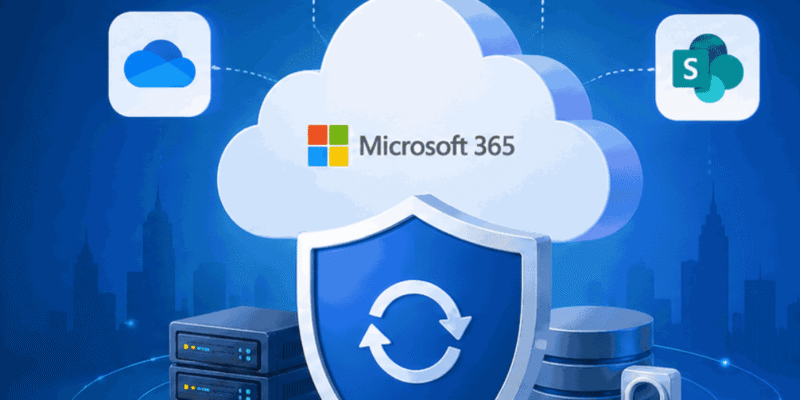
Most businesses rely on Microsoft 365 every day. Email, files, Teams chats, SharePoint documents, calendars, and business-critical information all live in the cloud.
But here’s a common misconception:
Many organisations assume that because their data is stored in Microsoft 365, it is automatically backed up and fully recoverable.
The reality is more complex.
Microsoft provides a highly resilient cloud platform, but organisations still retain responsibility for protecting and recovering their own business data under the shared responsibility model.
The question isn’t whether cloud data is important.
It’s whether your business could recover it if something went wrong.
What Microsoft Protects
Microsoft invests heavily in keeping its cloud services available, secure, and operational. Its infrastructure is designed to protect against hardware failures, service outages, and platform-level issues.
This means Microsoft is responsible for maintaining the Microsoft 365 environment itself. The platform is designed to deliver availability and continuity at scale. However, Microsoft operates under a shared responsibility approach, meaning organisations remain responsible for protecting and recovering their own business-critical data.
For many organisations, this distinction is often overlooked until a recovery situation arises.
What Microsoft Doesn’t Protect
While Microsoft provides retention and recovery capabilities, they are not the same as having an independent backup solution.
Native retention settings are designed to support compliance and data governance. They are not intended to provide a complete backup strategy for every data loss scenario. Independent backup offers additional recovery flexibility and provides a separate copy of business data outside the Microsoft environment.
Without an independent recovery layer, organisations may face challenges when dealing with:
-
Accidental deletion of files or emails
-
Account compromise
-
Corrupted data
-
Incorrect configuration changes
-
Risky file sharing
-
Compliance-related recovery requirements
These risks can potentially result in data loss, operational disruption, and increased compliance exposure.
The Most Common Causes of Cloud Data Loss
When people think about data loss, they often imagine sophisticated cyberattacks.
In reality, many incidents start with something much simpler.
Accidental Deletion
Employees can unintentionally delete important emails, documents, Teams conversations, or SharePoint content.
Account Compromise
If an account is compromised, malicious actors may delete, alter, or export business data. Compromised accounts can lead to data loss, exfiltration, or mailbox misuse.
Uncontrolled Sharing
Files shared externally without proper controls may expose sensitive company information and create compliance concerns.
Security Events
Threats can emerge across Microsoft 365 and other SaaS applications. Without active monitoring, suspicious activity may go unnoticed for extended periods.
Why Independent Backup Matters
Independent backup provides a dedicated recovery path when critical data is lost, altered, or compromised.
According to EVAD’s cloud protection advisory, a modern Microsoft 365 backup solution can provide:
-
Automated backups multiple times per day
-
On-demand backups
-
Point-in-time recovery
-
Granular restoration of files, folders, and user accounts
-
Independent cloud storage outside the Microsoft environment
-
Centralised reporting and management capabilities
The key benefit is simple:
You gain access to an independent copy of your data, giving your business another option when recovery is needed.
Independent backup is particularly valuable for organisations that rely on Microsoft 365 for email, collaboration, file storage, and compliance-sensitive information.
Recovery Is Only One Part of the Picture
Backing up data is important, but it’s only one component of a strong cloud security strategy.
Organisations should also consider monitoring for suspicious activity, unusual logins, risky sharing behaviour, and emerging threats across their cloud applications.
A layered approach combines:
-
Microsoft 365 and SaaS applications
-
Independent backup and recovery
-
Continuous monitoring and threat detection
Together, these layers help improve resilience, security visibility, and business continuity.
A Quick Checklist for Irish Businesses
Ask yourself:
☐ Do we have an independent backup of our Microsoft 365 data?
☐ Can we recover data from a specific point in time?
☐ How quickly could we restore a deleted mailbox or critical file?
☐ Are Teams chats, SharePoint data, and OneDrive files included in our recovery plan?
☐ Would we know if suspicious cloud activity was happening right now?
☐ Have we tested our recovery process in the last 12 months?
☐ Is Your Microsoft 365 Tenant Being Monitored 24/7?
If you’re unsure about any of these questions, it may be time to review your current cloud protection strategy.
Final Thoughts
Microsoft 365 is a powerful and highly resilient platform, but resilience is not the same as recoverability.
As organisations become increasingly dependent on cloud services, the ability to recover quickly from deletion, compromise, or disruption becomes just as important as preventing incidents in the first place.
In today’s cloud environment, the question is not whether data loss or compromise can happen, but how quickly your business can recover and continue operating.
Not sure if your Microsoft 365 data is adequately protected?
EVAD can help assess your current setup and identify potential gaps in your cloud backup and recovery strategy. Talk to our team about a free cloud protection review and ensure your business has a recovery plan when it matters most.